
Advanced Certificate in Advanced Screen Reader Shortcuts Training
Master advanced screen reader shortcuts for enhanced productivity and accessibility in digital environments.
Advanced Certificate in Advanced Screen Reader Shortcuts Training
Programme Overview
The Advanced Certificate in Advanced Screen Reader Shortcuts Training is designed for experienced IT professionals, accessibility specialists, and individuals with a deep interest in enhancing their digital accessibility skills. This programme delves into the intricacies of advanced screen reader commands and techniques, equipping participants with the ability to navigate complex user interfaces efficiently and provide expert guidance in accessibility needs assessment and implementation.
Participants will develop a comprehensive set of skills, including fluency in multiple screen reader technologies (such as VoiceOver, NVDA, and JAWS), mastering keyboard shortcuts for enhanced productivity, understanding the underlying accessibility standards and how to apply them, and creating accessible content that adheres to WCAG guidelines. They will also learn to troubleshoot common accessibility issues and provide solutions that optimize user experience for individuals with disabilities.
This programme significantly impacts career trajectories by opening opportunities in roles such as accessibility consultants, assistive technology specialists, and digital inclusion advocates. Graduates will be well-prepared to lead accessibility initiatives, enhance digital content accessibility, and contribute to the digital inclusion of diverse user groups, thereby driving meaningful change in the tech industry and society at large.
What You'll Learn
The Advanced Certificate in Advanced Screen Reader Shortcuts Training is designed to empower professionals with the skills necessary to navigate complex digital environments with efficiency and ease. This comprehensive program equips participants with an advanced understanding of screen reader software, including NVDA, JAWS, and VoiceOver, focusing on mastering keyboard shortcuts and accessibility features.
Key topics include advanced navigation techniques, customizing screen readers for optimal performance, and troubleshooting common issues. Graduates will learn to enhance their productivity and independence, enabling them to work more effectively in a digital landscape that increasingly demands accessibility.
This training is invaluable for tech professionals, educators, and accessibility consultants who seek to advance their careers by becoming proficient in screen reader technology. Graduates can apply their skills in a variety of roles, from assistive technology specialists to digital accessibility trainers, ensuring they remain at the forefront of digital inclusivity.
With a growing emphasis on accessibility in technology and education, professionals with expertise in screen reader shortcuts are in high demand. This certificate not only opens doors to new career opportunities but also enhances current roles by providing the technical skills necessary to support and advocate for accessibility in digital tools and platforms.
Programme Highlights
Industry-Aligned Curriculum
Developed with industry leaders for job-ready skills
Globally Recognised Certificate
Recognised by employers across 180+ countries
Flexible Online Learning
Study at your own pace with lifetime access
Instant Access
Start learning immediately, no application process
Constantly Updated Content
Latest industry trends and best practices
Career Advancement
87% report measurable career progression within 6 months
Topics Covered
- Introduction to Screen Readers: Overview of screen reader software and its importance.: Navigation Techniques: Mastering navigation through documents and applications.
- Voice Commands and Gestures: Learning and using voice commands and gestures efficiently.: Keyboard Shortcuts: Advanced keyboard shortcuts for improved productivity.
- Accessibility Settings: Configuring settings for optimal screen reader performance.: Troubleshooting and Support: Common issues and solutions for screen reader users.
What You Get When You Enroll
Key Facts
Audience: Tech professionals, accessibility specialists
Prerequisites: Basic understanding of screen readers
Outcomes: Master advanced shortcuts, enhance efficiency, improve user experience
Ready to get started?
Join thousands of professionals who already took the next step. Enroll now and get instant access.
Enroll Now — $149Why This Course
Enhance Efficiency: Professionals who acquire the 'Advanced Certificate in Advanced Screen Reader Shortcuts Training' significantly boost their productivity. Screen readers are essential tools for accessibility, particularly for those with visual impairments. Mastery of advanced shortcuts can reduce the time needed to perform tasks, enabling professionals to focus more on their core responsibilities and deliver work more efficiently.
Broaden Career Opportunities: This certification can open doors to roles that specifically require or benefit from accessibility expertise. For instance, web developers, content creators, and IT professionals can enhance their profiles by demonstrating their ability to create accessible digital content. The ability to support users with disabilities can be a decisive factor in career progression and job satisfaction.
Stay Updated with Technology: As digital accessibility standards evolve, so do the tools and techniques required to meet them. This certificate ensures professionals are up-to-date with the latest screen reader technologies and best practices. Continuous learning is crucial in the tech industry, and maintaining this certification demonstrates a commitment to professional development and staying ahead of industry trends.
3-4 Weeks
Study at your own pace
Course Brochure
Download our comprehensive course brochure with all details
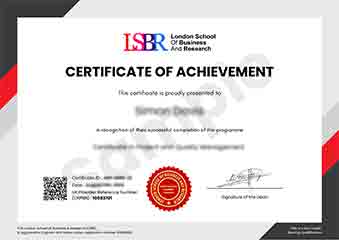
Sample Certificate
Preview the certificate you'll receive upon successful completion of this program.
Employer Sponsored Training
Let your employer invest in your professional development. Request a corporate invoice and get your training funded.
Request Corporate InvoiceYour Path to Certification
From enrollment to certification in 4 simple steps
instant access
pace, anywhere
quizzes
digital certificate
Join Thousands Who Transformed Their Careers
Our graduates consistently report measurable career growth and professional advancement after completing their programmes.
What People Say About Us
Hear from our students about their experience with the Advanced Certificate in Advanced Screen Reader Shortcuts Training at LSBR Executive - Executive Education.
James Thompson
United Kingdom"This course significantly enhanced my ability to navigate complex web applications and documents with ease, providing a robust set of shortcuts that have greatly improved my productivity. The detailed course material not only covered the basics but also delved into advanced techniques, ensuring I'm well-prepared for any challenge in my field."
Hans Weber
Germany"This advanced course has significantly enhanced my ability to navigate complex software applications more efficiently, making me a more valuable asset in my role as a digital accessibility specialist. The practical shortcuts I've learned have not only sped up my workflow but also opened up new opportunities for specialized projects that require deep knowledge of screen reader technologies."
Jia Li Lim
Singapore"The course structure was meticulously organized, making it easy to navigate through complex screen reader shortcuts, and the comprehensive content provided a solid foundation for real-world applications, significantly enhancing my professional skills."