
Executive Development Programme in Automating Tasks in Code Editors
This programme equips executives with skills to automate tasks in code editors, enhancing productivity and code quality.
Executive Development Programme in Automating Tasks in Code Editors
Programme Overview
The Executive Development Programme in Automating Tasks in Code Editors is tailored for experienced software developers, technical leads, and executives seeking to enhance their proficiency in leveraging automation tools and techniques to streamline code editor usage. Designed for professionals looking to stay at the forefront of modern software development practices, the programme equips participants with advanced skills in utilizing plugins, extensions, and custom scripts to automate repetitive tasks, thereby boosting productivity and code quality.
Participants will develop comprehensive knowledge in automating tasks such as code formatting, syntax checking, and refactoring, as well as in employing advanced search and replace functionalities, and integrating external tools and services. They will also learn to create and manage custom configurations, streamline workflows, and optimize the use of version control systems. The programme emphasizes practical, hands-on exercises and real-world case studies to ensure that learners can effectively apply these skills to their professional projects.
This programme significantly enhances career prospects by enabling participants to lead more efficient development teams and contribute to more productive, innovative projects. Graduates will be better positioned to innovate within their roles, leading to improved project outcomes, reduced development time, and enhanced overall team performance. The skills acquired are highly sought after in the industry, making participants invaluable assets to their organizations and opening doors to more advanced positions.
What You'll Learn
The Executive Development Programme in Automating Tasks in Code Editors is designed to empower professionals looking to enhance their efficiency and productivity in software development. This comprehensive programme equips participants with advanced skills in automating repetitive tasks using code editors like Visual Studio Code, PyCharm, and IntelliJ IDEA. Key topics include leveraging extensions and plugins, writing efficient scripts with Python and Bash, and integrating automation tools like Jenkins and GitLab CI/CD.
Participants will learn to customize their code editors for personalized productivity, streamline development workflows, and implement continuous integration and deployment pipelines. Through hands-on workshops and real-world projects, graduates will apply these skills to automate common coding tasks, enhancing their ability to deliver projects faster and with higher quality.
Upon completion, graduates will be well-prepared for roles that require advanced automation skills, such as DevOps Engineer, Automation Tester, and Senior Software Developer. This programme not only boosts technical proficiency but also fosters innovation and adaptability in the ever-evolving field of software development. Join our programme to unlock the full potential of your code editor and take your career to the next level.
Programme Highlights
Industry-Aligned Curriculum
Developed with industry leaders for job-ready skills
Globally Recognised Certificate
Recognised by employers across 180+ countries
Flexible Online Learning
Study at your own pace with lifetime access
Instant Access
Start learning immediately, no application process
Constantly Updated Content
Latest industry trends and best practices
Career Advancement
87% report measurable career progression within 6 months
Topics Covered
- Introduction to Automation: Introduces the concept of automating tasks in code editors.: Code Editor Fundamentals: Discusses essential features and functionalities of popular code editors.
- Scripting Basics: Covers the basics of scripting languages used for automation.: Task Automation Techniques: Explores various techniques for automating repetitive tasks.
- Advanced Editor Features:dives into advanced features and plugins for enhancing productivity.: Case Studies: Analyzes real-world applications and best practices in task automation.
What You Get When You Enroll
Key Facts
Audience: Software developers, managers, automation enthusiasts
Prerequisites: Basic coding knowledge, experience with at least one code editor
Outcomes: Master automation scripts, enhance productivity, improve code quality
Ready to get started?
Join thousands of professionals who already took the next step. Enroll now and get instant access.
Enroll Now — $199Why This Course
Enhance Efficiency and Productivity: Professional development in automating tasks in code editors can significantly boost an individual's coding efficiency. Tools like Python scripts, Python's unittest framework, and automation plugins in popular code editors such as Visual Studio Code or JetBrains can automate repetitive coding tasks, allowing developers to focus on more complex and innovative projects. This not only increases productivity but also frees up time for higher-value work.
Master Advanced Coding Techniques: An executive development programme in this area typically includes advanced coding practices that are not only beneficial for individual developers but also for teams. Learning how to write clean, maintainable code through automated testing and refactoring techniques can lead to better code quality and reliability. This is crucial in large-scale projects where code maintainability and scalability are key.
Stay Ahead in Technological Evolution: The technology landscape is rapidly evolving, and professionals who can adapt and integrate new tools and techniques are better positioned to stay ahead. An executive development programme in code editor automation equips individuals with the skills to leverage new tools and practices as they emerge. This can be particularly valuable in roles that require continuous learning and adaptation, such as software development, DevOps, and data science.
Improve Collaboration and Interoperability: Modern code editors are designed to integrate with a wide range of tools and services, enhancing both the development process and team collaboration. By mastering these integrations, professionals can streamline workflows, share code more efficiently, and collaborate more effectively with team members. This can
3-4 Weeks
Study at your own pace
Course Brochure
Download our comprehensive course brochure with all details
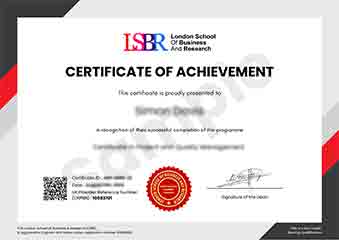
Sample Certificate
Preview the certificate you'll receive upon successful completion of this program.
Employer Sponsored Training
Let your employer invest in your professional development. Request a corporate invoice and get your training funded.
Request Corporate InvoiceYour Path to Certification
From enrollment to certification in 4 simple steps
instant access
pace, anywhere
quizzes
digital certificate
Join Thousands Who Transformed Their Careers
Our graduates consistently report measurable career growth and professional advancement after completing their programmes.
What People Say About Us
Hear from our students about their experience with the Executive Development Programme in Automating Tasks in Code Editors at LSBR Executive - Executive Education.
James Thompson
United Kingdom"The course content was incredibly thorough, covering a wide range of automation techniques that have significantly enhanced my coding efficiency. I've gained practical skills that have already improved my projects and opened up new possibilities for streamlining workflows in my current role."
Zoe Williams
Australia"This course has significantly enhanced my ability to automate repetitive tasks in code editors, making my workflow much more efficient and allowing me to focus on more complex projects. It has been incredibly valuable in my career, opening up new opportunities for automation that have boosted my productivity and made me a more indispensable member of my team."
Siti Abdullah
Malaysia"The course structure is well-organized, providing a clear progression from basic to advanced topics in automating tasks with code editors, which greatly enhances my understanding and practical skills. The comprehensive content and real-world applications have been invaluable in my professional growth, enabling me to automate repetitive tasks more efficiently in my projects."