
Executive Development Programme in Screen Reader Friendly UI Design Principles
This programme equips executives with principles for designing accessible UIs, enhancing inclusivity and user experience.
Executive Development Programme in Screen Reader Friendly UI Design Principles
Programme Overview
The Executive Development Programme in Screen Reader Friendly UI Design Principles is tailored for business leaders, product managers, and UX/UI designers who seek to enhance the accessibility and usability of digital products. This comprehensive programme delves into the fundamental principles and best practices of designing user interfaces that are fully accessible to users with visual impairments, leveraging screen readers. Participants will gain insights into the technical and human aspects of accessibility, including the importance of semantic markup, ARIA (Accessible Rich Internet Applications) labels, and the role of color contrast in ensuring screen reader compatibility.
Key skills and knowledge learners will develop include an understanding of WCAG (Web Content Accessibility Guidelines) standards, the ability to test and debug accessibility issues, and the capacity to implement design solutions that accommodate various assistive technologies. Through case studies, hands-on workshops, and interactive sessions, participants will learn to prioritize accessibility in their design processes, ensuring that digital products are inclusive and meet the needs of all users, regardless of their disabilities.
The programme will have a significant career impact by positioning participants as leaders in accessibility and inclusivity. Graduates will be equipped to drive change within their organizations, fostering a culture of accessibility and enhancing their professional reputation. Moreover, they will be better prepared to meet the growing demand for accessible digital products, potentially opening up new opportunities in the marketplace and contributing to a more inclusive digital environment.
What You'll Learn
Welcome to the 'Executive Development Programme in Screen Reader Friendly UI Design Principles,' a comprehensive course designed to empower leaders in the digital innovation landscape. This program is invaluable for professionals looking to create inclusive digital experiences, ensuring that all users, including those with disabilities, can interact seamlessly with technology.
Key topics include the principles of accessibility, the role of screen readers in user experience, and practical techniques for designing and testing UIs that are accessible. Participants will learn to implement responsive design, use semantic HTML, and integrate assistive technologies effectively. Case studies and real-world examples will illustrate how to apply these principles to various digital platforms, enhancing user engagement and satisfaction.
Upon completion, graduates will be equipped to lead teams in developing and implementing accessible UIs, making a significant impact on the inclusivity of digital products. This program opens doors to diverse career opportunities, including roles as accessibility consultants, user experience designers, and digital inclusion managers. Graduates will also be well-prepared to advocate for accessibility best practices, contributing to a more inclusive digital world.
Programme Highlights
Industry-Aligned Curriculum
Developed with industry leaders for job-ready skills
Globally Recognised Certificate
Recognised by employers across 180+ countries
Flexible Online Learning
Study at your own pace with lifetime access
Instant Access
Start learning immediately, no application process
Constantly Updated Content
Latest industry trends and best practices
Career Advancement
87% report measurable career progression within 6 months
Topics Covered
- Foundational Concepts: Covers the core principles and key terminology.: User Needs Analysis: Identifies the needs and challenges of users with disabilities.
- Accessibility Standards: Discusses key accessibility standards and guidelines.: Interaction Design: Focuses on designing intuitive and accessible user interactions.
- Visual Design Strategies: Explores design techniques to enhance usability for all users.: Testing and Validation: Teaches methods for testing and validating screen reader compatibility.
What You Get When You Enroll
Key Facts
Audience: Professionals aiming to enhance UI design skills
Prerequisites: Basic knowledge of UI/UX design
Outcomes: Master screen reader integration, accessible design principles
Ready to get started?
Join thousands of professionals who already took the next step. Enroll now and get instant access.
Enroll Now — $199Why This Course
Enhance Accessibility: By participating in an Executive Development Programme in Screen Reader Friendly UI Design Principles, professionals can significantly enhance the accessibility of their digital products. This skill development ensures that applications and websites are usable by individuals with visual impairments, which not only broadens the user base but also improves user satisfaction and engagement.
Stay Ahead of Trends: As digital accessibility becomes increasingly important, mastering screen reader technology and UI design principles can set professionals apart in the job market. Employers are seeking candidates who can develop interfaces that meet the latest accessibility standards, making this training a valuable asset in the rapidly evolving tech landscape.
Boost User Experience: The program equips professionals with a deep understanding of how to design interfaces that are not only visually appealing but also functionally accessible. By integrating these principles, they can create more intuitive and user-friendly experiences, which can lead to higher conversion rates, better customer retention, and enhanced brand reputation.
Compliance and Legal Standards: Familiarity with screen reader friendly design principles ensures compliance with legal requirements such as the Americans with Disabilities Act (ADA) and the Web Content Accessibility Guidelines (WCAG). This knowledge not only prevents legal issues but also demonstrates a commitment to inclusivity and ethical business practices, which can positively impact a professional’s career and the company’s public image.
3-4 Weeks
Study at your own pace
Course Brochure
Download our comprehensive course brochure with all details
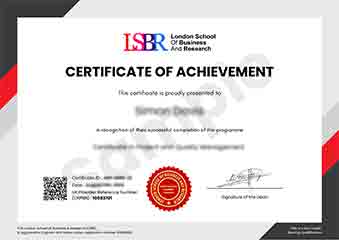
Sample Certificate
Preview the certificate you'll receive upon successful completion of this program.
Employer Sponsored Training
Let your employer invest in your professional development. Request a corporate invoice and get your training funded.
Request Corporate InvoiceYour Path to Certification
From enrollment to certification in 4 simple steps
instant access
pace, anywhere
quizzes
digital certificate
Join Thousands Who Transformed Their Careers
Our graduates consistently report measurable career growth and professional advancement after completing their programmes.
What People Say About Us
Hear from our students about their experience with the Executive Development Programme in Screen Reader Friendly UI Design Principles at LSBR Executive - Executive Education.
James Thompson
United Kingdom"The course content was incredibly thorough and well-structured, providing a solid foundation in screen reader friendly UI design principles. I gained practical skills that have already improved my ability to create accessible designs, which is invaluable for my career in web development."
Sophie Brown
United Kingdom"This course has been incredibly valuable, equipping me with the latest industry standards in screen reader-friendly UI design. It has not only enhanced my technical skills but also opened up new opportunities in my career, making me more competitive in the job market."
Muhammad Hassan
Malaysia"The course structure was well-organized, providing a clear path from foundational concepts to advanced screen reader usability principles, which greatly enhanced my understanding and practical skills in designing accessible UIs. The comprehensive content and real-world examples were particularly beneficial for applying these principles in professional settings."