
Global Certificate in Collaborative Document Editing Tools
Enhance employability with in-demand collaborative document editing tools skills. Create opportunities for professional growth.
Global Certificate in Collaborative Document Editing Tools
Programme Overview
The Global Certificate in Collaborative Document Editing Tools is an advanced programme designed for professionals and students seeking to enhance their skills in utilizing collaborative document editing tools. This programme covers a comprehensive curriculum, including the foundational concepts of cloud-based document management, real-time collaboration features, version control, and integration with other business applications. Ideal for both seasoned professionals and emerging talent in the fields of project management, IT, and digital communications, the certificate equips participants with the necessary skills to work effectively in a global, digitally driven environment.
Learners will develop key skills such as proficient use of advanced document editing tools, effective collaboration techniques, and the ability to manage document workflows efficiently. They will also gain knowledge in best practices for remote team collaboration, data security in cloud environments, and the integration of these tools with enterprise systems. By mastering these competencies, participants will be well-prepared to lead or support collaborative projects, improve document efficiency, and enhance their professional portfolios.
The programme has a significant impact on the career trajectory of its participants. Graduates will be better positioned to lead collaborative projects, enhance their employability in the digital workplace, and contribute more effectively to their teams. This certificate not only boosts individual career prospects but also fosters a more collaborative and efficient workplace culture, making it a valuable investment in professional development.
What You'll Learn
The Global Certificate in Collaborative Document Editing Tools is designed to empower professionals with the skills necessary to excel in today’s digital collaborative environments. This comprehensive program covers essential tools and techniques for effective document creation, editing, and sharing, ensuring participants can confidently manage projects across diverse platforms and teams. Key topics include advanced features of popular tools like Google Docs, Microsoft Office , and collaborative software such as Confluence and Trello. Students will learn how to streamline workflows, enhance document security, and foster efficient communication among team members.
Upon completion, graduates will be adept at using collaborative tools to enhance productivity and collaboration in both personal and professional contexts. They will be well-prepared to lead or participate in cross-functional teams, ensuring that documents are not only accurate and up-to-date but also easily accessible and traceable. This certificate opens doors to various career opportunities, including project management, content creation, and digital collaboration roles in tech, marketing, and business development sectors. With the increasing reliance on digital tools for communication and collaboration, this program equips professionals with the skills needed to thrive in a globally connected workforce.
Programme Highlights
Industry-Aligned Curriculum
Developed with industry leaders for job-ready skills
Globally Recognised Certificate
Recognised by employers across 180+ countries
Flexible Online Learning
Study at your own pace with lifetime access
Instant Access
Start learning immediately, no application process
Constantly Updated Content
Latest industry trends and best practices
Career Advancement
87% report measurable career progression within 6 months
Topics Covered
- Foundational Concepts: Covers the core principles and key terminology.: Tool Proficiency: Enhances skills in using various collaborative document editing tools.
- Version Control: Teaches how to manage and track changes in documents.: Collaboration Techniques: Focuses on best practices for working with teams.
- Conflict Resolution: Provides strategies for addressing and resolving conflicts in collaborative environments.: Advanced Features: Explores advanced functions and features of collaborative tools.
What You Get When You Enroll
Key Facts
Audience: Professionals, educators, content creators
Prerequisites: Basic computer skills, document editing experience
Outcomes: Expertise in collaborative tools, enhanced productivity, improved document management
Ready to get started?
Join thousands of professionals who already took the next step. Enroll now and get instant access.
Enroll Now — $99Why This Course
Enhance Collaboration Efficiency: The Global Certificate in Collaborative Document Editing Tools equips professionals with the skills to manage and edit documents in real-time, streamlining the collaboration process among team members from different locations. This skill is particularly valuable in today’s remote and hybrid work environments, where effective communication and document sharing are crucial for project success.
Boost Professional Competency: Acquiring this certification can significantly boost your professional profile, making you stand out in the job market. It demonstrates your capability to use advanced tools for document editing, which are essential in fields like marketing, legal, and technical writing. Employers increasingly value candidates who can leverage technology to enhance productivity and quality of work.
Improve Document Accuracy and Quality: The training covers best practices in document editing, ensuring that professionals can maintain high standards of accuracy and consistency across multiple documents. This is critical in industries where precision is paramount, such as finance, law, and scientific research, where errors can have significant consequences.
Adapt to Evolving Technology: The certificate program keeps professionals updated with the latest advancements in document editing tools and techniques. In a rapidly changing technological landscape, this skill set helps professionals remain relevant and capable of adapting to new tools and methodologies, which is essential for long-term career success.
3-4 Weeks
Study at your own pace
Course Brochure
Download our comprehensive course brochure with all details
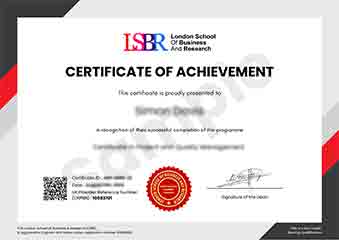
Sample Certificate
Preview the certificate you'll receive upon successful completion of this program.
Employer Sponsored Training
Let your employer invest in your professional development. Request a corporate invoice and get your training funded.
Request Corporate InvoiceYour Path to Certification
From enrollment to certification in 4 simple steps
instant access
pace, anywhere
quizzes
digital certificate
Join Thousands Who Transformed Their Careers
Our graduates consistently report measurable career growth and professional advancement after completing their programmes.
What People Say About Us
Hear from our students about their experience with the Global Certificate in Collaborative Document Editing Tools at LSBR Executive - Executive Education.
Charlotte Williams
United Kingdom"The course content was incredibly comprehensive, covering a wide range of collaborative tools that have significantly enhanced my ability to work effectively in team environments. Gaining hands-on experience with these tools has been invaluable, as it has prepared me for more collaborative and remote work scenarios in my field."
Muhammad Hassan
Malaysia"This course has been incredibly valuable in enhancing my ability to work collaboratively on documents with team members across different time zones. It has not only improved my technical skills in using collaborative tools but also my efficiency in project management, which has opened up new career opportunities in my field."
Brandon Wilson
United States"The course structure is well-organized, providing a clear path from basic to advanced document editing techniques, which greatly enhances my understanding and practical skills in collaborative tools. The comprehensive content and real-world applications have significantly contributed to my professional growth in managing and editing documents efficiently in a team setting."